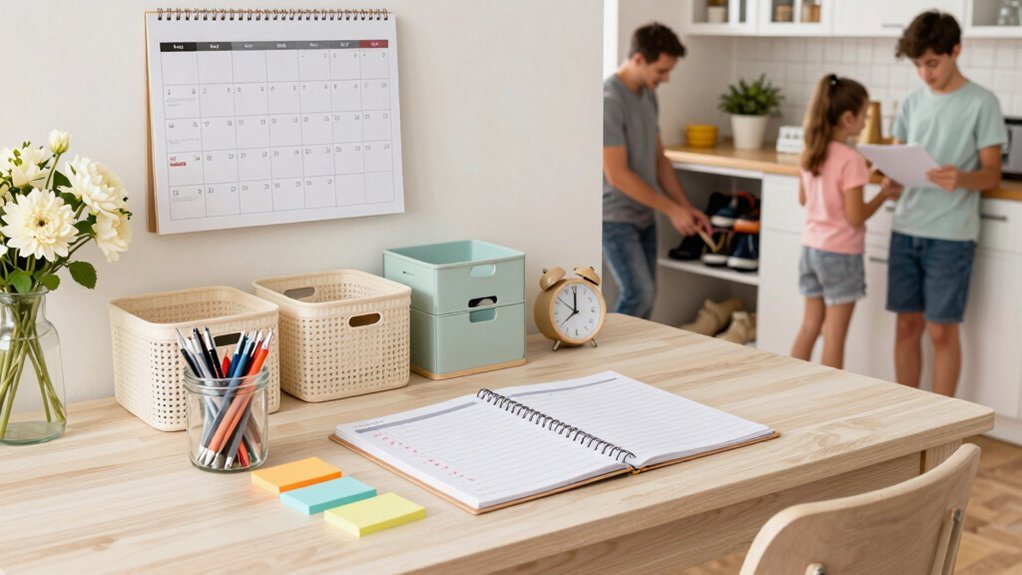
Pick a calendar that matches your style—paper for tactile cues, digital for syncing across devices—and color‑code entries to flag priorities. Use the same color scheme for physical folders and cloud directories, and keep naming conventions consistent. Time‑block your peak energy windows for deep work, inserting short self‑care breaks and admin slots around them. Set automated reminders for tasks, declutter your desk daily, and review your routine each week to stay on track. Keep these habits and you’ll discover even more ways to stay organized.
Pick a Physical or Digital Calendar That Fits Your Lifestyle
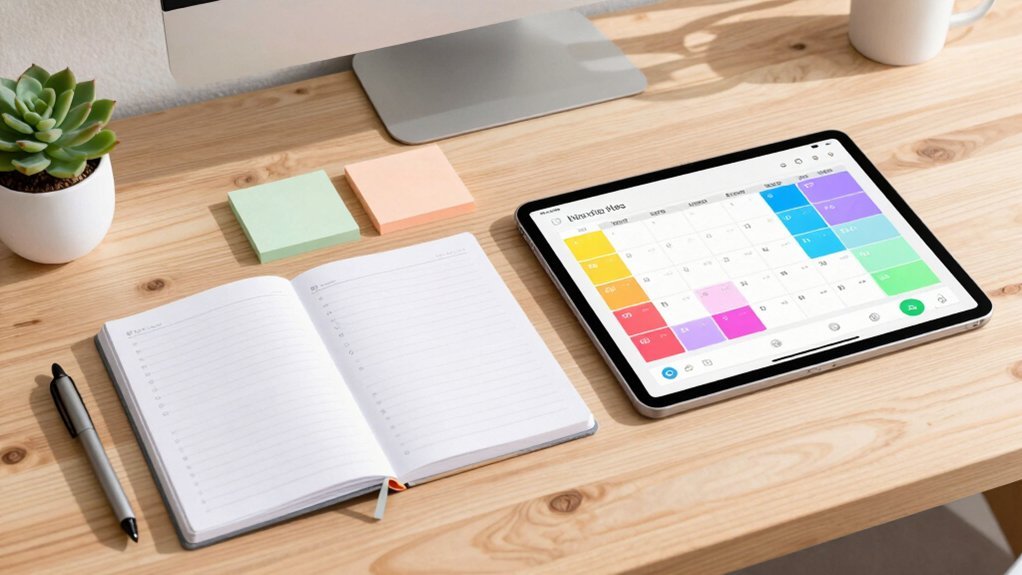
How do you keep track of everything without feeling overwhelmed? Choose a calendar that matches your routine and lifestyle, then you’ll boost organization instantly. If you love tactile cues, grab a pocket‑size planner; jot work meetings and personal obligations side by side, so nothing slips through.
Prefer tech? Sync a digital calendar across phone, tablet, and computer, and set reminders that pop up when forgetfulness strikes. Color‑code entries to flag priorities, and review the calendar each morning to map out the day’s flow. Incorporating step stools with safety features into your routine can enhance your child’s independence and help maintain daily order.
Create Color‑Coded Folders for Both Paper and Digital Documents
You’ll notice how color‑coding folders lets you spot the right file in seconds, whether it’s a paper report or a digital PDF.
Keep the same palette on your desktop folders so the physical and electronic systems stay in sync.
Consistent naming across both mediums makes sharing and locating documents a breeze.
Color‑Code for Quick Retrieval
Ever wondered why you can’t find that contract the minute you need it? You can change that by using color‑coding for quick retrieval. Assign a hue to each project, deadline, or document type, then apply the same shade to paper folders and desktop directories. Consistent labeling turns a chaotic stack into a visual map, slashing search time and keeping your organization tight. When urgency hits, you’ll spot the right folder at a glance, avoiding misfiling and last‑minute panic. The system reinforces productivity because you always know where the important items live.
| Red | Blue | Green |
|---|---|---|
| Invoices | Client contracts | Project specs |
| Bills | Meeting notes | Design drafts |
| Tax forms | Marketing plans | Research data |
Sync Physical and Digital Systems
A simple way to keep your workflow seamless is to match each physical folder’s color or number with its digital counterpart on your desktop or cloud drive. When you apply a color-coded system to both paper and files, you create an instant visual cue that speeds retrieval and cuts misfiling. Use consistent labeling on each folder—stickers, tabs, or icons—so the same name appears on the desk and on the screen. This synchronization lets you grab a document, glance at its hue, and know exactly where the digital version lives.
Review your setup weekly, adjusting colors or numbers as projects evolve, and keep the structure coherent. The result is a streamlined, predictable routine that bridges analog and digital workspaces. Incorporating visual cues enhances this system by engaging your natural observation skills, much like Montessori-inspired tools that support visual learning through clear, color-coded instrumentation.
Maintain Consistent Naming Conventions
Syncing your naming conventions across paper and digital files instantly cuts through the chaos. You’ll notice how color‑coding folders streamlines retrieval: assign blue to finance, green to personal, and keep those hues on shelves and desktops. Label each folder with a specific name and date, then mirror that exact structure in cloud storage, ensuring folder organization stays uniform. When you open a drawer or a drive, the same visual cue and name guide you straight to the right document, slashing search time.
Schedule a quick quarterly review to purge outdated items, updating color codes and labels as needed. Consistent naming conventions and visual tags keep your system accurate, efficient, and effortlessly maintainable. Incorporating color-coded sets can enhance clarity and consistency across your organizational system.
Build a Weekly Routine Around Your Energy Peaks for a Daily Organization Routine
How can you turn your natural energy highs into a powerful weekly schedule? Start with energy management: map your alertness curve, then assign deep‑work tasks to those peak windows. Use time blocking to carve out uninterrupted slots for creative or analytical work, and place administrative duties in secondary periods when focus wanes.
During weekly planning, set recurring prompts that surface the next day’s priorities, so you always begin with an energy‑informed agenda. Schedule brief daily check‑ins to adjust blocks if your rhythm shifts, and end each day with a quick review to reinforce the plan. Pair up with a buddy or set reminders for accountability, ensuring your routine stays resilient even on low‑energy days. This approach aligns tasks with how you feel, boosting productivity and predictability. Incorporating Montessori-inspired learning principles can help develop fine motor skills while supporting creativity and independence within your routine.
Declutter Your Space to Support Your Daily Organization Routine

Ever feel overwhelmed by the mess that piles up around you? You can tame it by dedicating 15‑30 minutes each day to decluttering. A focus on age-appropriate size selection can also help keep your tools organized and safe.
Set Up a Distraction‑Free Workspace You’ll Love
Clear your surface of anything you don’t need, and you’ll instantly cut visual clutter that pulls your attention away.
Keep ambient distractions under control by turning off non‑essential notifications and using a simple cue—like a timer or soft music—to signal deep‑work periods.
Add a few personal comfort touches, such as a favorite mug or a small plant, so the space feels inviting while still staying focused.
Incorporating organizational features modeled after Montessori-inspired play kitchens can help enhance focus and efficiency in your workspace.
Clear Surface Clutter
Ever feel like your desk is a battlefield of papers, gadgets, and stray notes? Clear surfaces give you a visual reset and cut the mental clutter that drags down focus. When you wipe away excess, you locate essential items instantly, which speeds decision‑making and keeps you in the flow. Designate zones—a computer area, a writing space, a filing spot—so each tool lives in its own place. That simple organization reduces task‑switching costs and reinforces routines you can trust.
Spend five to ten minutes at the end of each day tidying up; the habit creates a calm, visually clean environment that signals work is over and tomorrow’s routine starts fresh. This daily ritual stabilizes productivity and makes your workspace a reliable partner.
Control Ambient Distractions
When you eliminate ambient distractions, you release longer, uninterrupted work blocks that sync with your peak energy, letting you dive deep without constant interruptions. Start by clearing nonessential items from your desk and keeping only one active project visible, which cuts visual clutter and sharpens focus. Use a designated filing system for papers and a consistent naming convention for digital files so you can locate what you need in seconds. Turn off nonessential notifications and mute chat alerts during your scheduled focus periods. Apply time‑blocking to align these distraction‑free windows with your natural energy peaks, and stick to the schedule to avoid context switching. Finally, schedule a quick weekly cleanup of both physical and digital spaces to preserve the calm environment that fuels sustained productivity.
Personalize Comfort Elements
After you’ve cleared the desk and silenced notifications, it’s time to make the space feel inviting and supportive. A distraction‑free workspace thrives when you blend function with personal comfort. Choose a chair that supports your posture, adjust lighting to reduce eye strain, and keep essential tools within arm’s reach. Then layer in comfort elements that reflect your taste—soft textures, a favorite color, or a small plant. These touches lower cognitive load and keep you motivated during long focus blocks. Your personalized setup becomes a cue that it’s time to work, reinforcing routine and boosting productivity.
- Add a plant or a water bottle within easy reach for hydration and a visual break.
- Use a consistent color scheme for folders and digital shortcuts to speed up navigation.
- Position a comfortable chair and adjustable lamp to sustain focus without fatigue.
- Consider incorporating ergonomic tools designed with safety and durability to enhance comfort and reduce strain during extended use.
Prioritize Tasks: Urgent vs. Important
How do you decide which tasks deserve your immediate attention? You start by gathering every commitment in one place, then apply a quick prioritization. Use the Eisenhower Matrix to label each item as urgent, important, both, or neither. Urgent tasks get your first focus; they demand action now to avoid crises.
Important but not urgent items belong on your schedule, so you prevent backlog and protect long‑term goals. After labeling, rank the urgent/important quadrant and tackle those first. For the important/not urgent quadrant, slot them into digital planners, set due‑date reminders, and pin deadlines in project channels. This simple system keeps you clear on what to do now and what can wait, streamlining your daily flow.
Use Time‑Blocking to Protect Deep‑Work and Self‑Care Slots

Having labeled your tasks with the Eisenhower Matrix, you can now lock in the most important work by time‑blocking. Schedule peak‑energy slots for deep work, then carve out separate periods for admin duties and self‑care. Align each block with your natural rhythm: tackle high‑concentration projects when you’re most alert, and reserve low‑energy windows for routine chores. Use recurring prompts to start each block, minimizing interruptions and reinforcing your routines. End the day by planning tomorrow’s priorities, creating a predictable flow that sustains momentum.
- Reserve a 90‑minute deep‑work window in the morning.
- Insert a 30‑minute self‑care break after the first focus block.
- Schedule a 15‑minute evening review to set tomorrow’s top tasks.
Automate Reminders for Your Routine Tasks
Ever wondered why routine tasks slip through the cracks? You can stop that by linking every to and calendar to a single view. Use third‑party apps or a shared calendar so reminders fire reliably in one place. Schedule non‑urgent but important actions in a digital planner, set due‑date alerts, and pin deadlines in project channels. Pair those reminders with time‑blocking and recurring prompts—like planning tomorrow’s priorities at day’s end—to cement consistency. Track progress in a journal or app and reward milestones to keep momentum.
| Tool | Purpose |
|---|---|
| Shared calendar | Centralizes reminders |
| Task manager | Generates automation alerts |
| Journal | Logs progress and rewards |
Review and Adjust Your Daily Organization Routine Each Week
Wondering why some weeks feel chaotic while others glide smoothly? You can tame the flux by carving out a dedicated time each week for a weekly review. During that slot—Sunday evening or Monday morning—you’ll scan the past seven days, spot what boosted your time management, and note any hiccups.
Then you set clear goals and key tasks for the upcoming week, updating your calendar and daily to‑do list with appointments, deadlines, and even meal‑planning items. Consistency in tools—whether a physical planner or a digital app—keeps everything aligned and accountable.
A quick routines adjustment each week sharpens focus and prevents drift.
- Block a fixed weekly review slot.
- Log successes and gaps, then set next‑week priorities.
- Refresh calendar events and daily task lists with new goals.
Add Self‑Care Breaks and Movement to Keep Your Routine Sustainable
You’ll notice you stay sharper when you schedule mini‑breaks every hour, so set a quick pause on your calendar.
Adding light movement—like a short walk or stretch—during those breaks pumps up energy and keeps fatigue at bay.
Treat each break as a non‑negotiable transition to cement the habit and sustain your routine.
Scheduleate Mini‑Breaks
When you sprinkle short, intentional pauses—5 to 10 minutes every hour or so—through your day, fatigue drops and focus steadies. Mini‑breaks become the hinge of your productivity rhythm, letting you reset without losing momentum. By treating each pause as a scheduled appointment, you protect deep‑work blocks and prevent meetings from overrunning. Set calendar alerts, track duration, and adjust intervals if you notice drift. The habit of breaks scheduling teaches you to respect mental limits, turning fatigue into a predictable cue for rejuvenation.
- Use a timer or calendar reminder to trigger a 5‑minute pause every 60‑90 minutes.
- During each mini‑break, hydrate, stretch, or practice a quick breathing exercise.
- Log the start and end of each pause to ensure the rhythm stays balanced and doesn’t bleed into work time.
Incorporate Light Movement
Ever notice how a brief stretch or a quick walk can instantly sharpen your focus? You can boost productivity by scheduling short, regular movement breaks—five to ten minutes every hour. Slip a walk, a stretch, or a quick bodyweight routine into your daily routines, and you’ll reduce fatigue without derailing your schedule. Set calendar reminders to prompt movement, so you avoid long periods of uninterrupted sitting. Tie each break to a specific task, like stretching after 60 minutes of deep work, to reinforce accountability. Track how movement impacts your mood and output, then fine‑tune break length and frequency. This simple habit keeps your energy steady, supports physical health, and makes your routines sustainable.
Frequently Asked Questions
How Many Tasks Should I Schedule per Day?
You should schedule about five to seven tasks daily, focusing on high‑impact items and leaving room for unexpected duties; this keeps you productive without feeling overwhelmed.
Can I Combine Paper and Digital Calendars Effectively?
Yes, you can blend paper and digital calendars by syncing key dates to your phone, noting daily details in a notebook, and using color‑coded stickers to highlight priorities across both formats.
What’s the Best Way to Track Habit Consistency?
You should log each habit daily in a single app, set automatic reminders, and review a weekly heat‑map to spot gaps. Keep the system simple, sync across devices, and celebrate streaks promptly.
How Often Should I Declutter My Workspace?
You should declutter your workspace at least once a week, and do a deeper clean monthly. This frequency keeps distractions low, maintains focus, and prevents clutter from overwhelming your productivity.
Which Apps Integrate With Both Time‑Blocking and Reminders?
You can use Todoist, Notion, and Microsoft To Do—they all let you block time on your calendar and set reminders, syncing across devices so you stay organized without extra hassle.